
What are mind maps for timelines
A mind map is a visual diagram that structures ideas and information around a central theme. You may know classic mind maps from school or the office – with a main topic in the center and branches radiating outward. A timeline, on the other hand, is a chronological representation of events or milestones, as you often see them as a straight timeline from left to right.
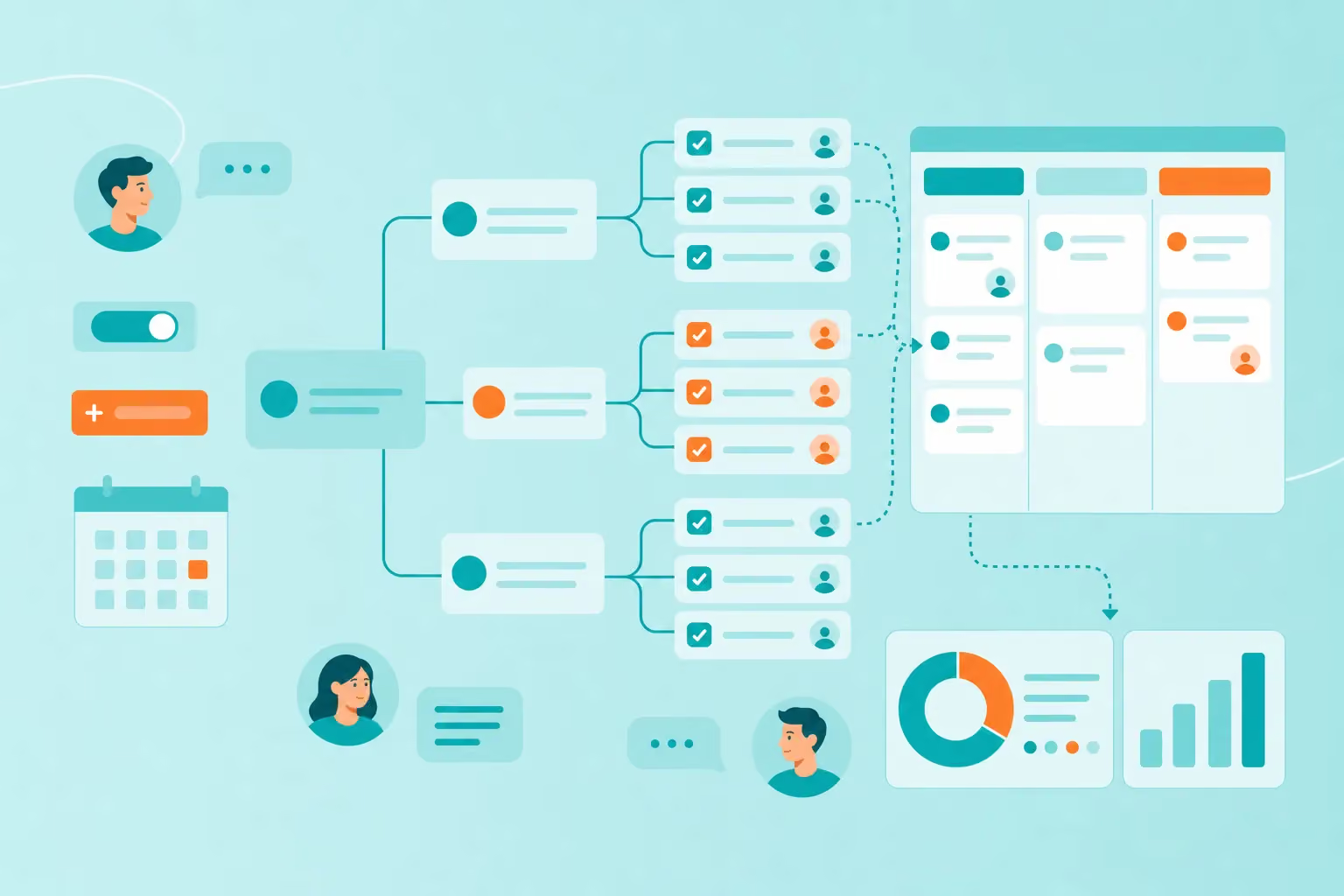
A timeline mind map combines both methods. Instead of just displaying events linearly, it shows temporal sequences in a branched and hierarchical way. The result? A dynamic tool that conveys more information at a glance than a traditional timeline.
Imagine you're planning a product launch. With a timeline mind map, you don't just see when things happen, but also which teams are involved, which tasks run in parallel, and how everything connects. This mind map structure makes complex projects manageable.
Why represent timelines with mind maps instead of linear diagrams
Linear diagrams show only one dimension – time. You see Event A, then Event B, then Event C. But what if Events B and C happen simultaneously? What if Event D depends on A? This is where traditional timelines reach their limits.
Mind maps, on the other hand, show multiple levels simultaneously. They visualize not only when something happens, but also how different elements relate to each other. This multidimensionality makes the crucial difference:
Quick adjustments: Changes can be incorporated quickly without having to redraw the entire structure.
Multidimensionality: Parallel developments, dependencies, and milestones become visible at a glance
Collaboration: Teams can add comments, notes, and files in real time
Clarity: Even complex projects with many branches remain understandable
Interactivity: Branches can be expanded and collapsed to control focus
Online mind maps like MindMeister take these advantages to the next level. They enable real-time collaboration from anywhere. During brainstorming, all team members can contribute ideas simultaneously. In strategic planning, everyone immediately sees how changes affect the overall project.
Steps to create a timeline mind map
Creating a timeline mind map sounds more complicated than it is. You can start with paper and pens or go straight to a digital tool like MindMeister. Online mind maps offer the advantage that multiple people can work on them simultaneously – perfect for team projects.
The following guide walks you through the process. Whether you're planning a project for work, structuring your learning goals, or organizing an event – this method works for all timelines. Strategic planning becomes a creative process instead of a dry obligation.
1. Define starting point and main topic
Every mind map begins with a central topic. For a timeline mind map, that's your project, event, or time period. Place this main topic in the center and name it clearly and concisely. "Product Launch 2026" works better than "Various Marketing Activities for the New Product."
Concrete examples of central topics:
A product launch over six months
Planning a wedding or conference
Developing a business plan
A personal fitness goal over a year
In online mind maps like MindMeister, the central topic appears automatically when you create a new mind map. From here, you begin structuring your ideas. A tip: Choose a name that immediately makes clear what it's about. This way, you and your team can quickly find the mind map later.
2. Structure main time phases
Now come the main branches. These represent the most important time periods of your project. These could be quarters, months, or project phases like "Planning," "Implementation," and "Completion." Important milestones also work well as main branches.
You have several options for arrangement. The branches can run clockwise (starting at 12 o'clock), be arranged chronologically from left to right, or be sorted by priority. The beauty of mind maps: you can adjust the structure at any time.
Colors help with orientation. Assign each phase its own color – green for "Planning," blue for "Implementation," orange for "Completion." This way, you and your team can see at a glance which phase a task is in. This visual structure makes timeline mind maps the ideal complement to your project management tool.
3. Add details and milestones
Now you bring the main branches to life. Each branch gets sub-branches with specific details. These can be concrete tasks, important deadlines, dependencies between tasks, or required resources.
Structure the details meaningfully:
Tasks: "Write website copy," "Create product photos," "Send press release"
Milestones: "Beta test starts March 1," "Press conference April 15"
Dependencies: Connection lines show that the press release can only be sent after the product photos
In online mind maps like MindMeister, you can attach files, links, and detailed notes directly to the branches. The project description, relevant emails, or design drafts – everything is just a click away. This central information collection makes online brainstorming more effective and prevents important details from getting lost.
4. Add responsibilities and comments
A timeline without clear responsibilities is like a ship without a captain. Assign a responsible person to each branch or task. In online mind maps, this often works via drag-and-drop or through a simple menu.
Also use the comment function. Team members can ask questions ("Is March 1 still realistic?"), make suggestions ("Could we schedule the press conference a week later?"), or give updates ("Product photos are done!"). Icons or symbols show the status – a green checkmark for "completed," a yellow clock for "in progress."
MindMeister automatically sends notifications for new comments or changes. This keeps your team always up to date. This real-time communication makes mind maps a living work tool and not just a static representation.
5. Adjust layout
The eye plans along. A clear, appealing mind map motivates participation. Use colors strategically – not just for phases, but also for priorities (red = urgent, yellow = important, green = can wait).
Icons and images bring your timeline to life. A camera symbol for photo shoots, a microphone for interviews, a calendar for deadlines. Most online mind maps offer a library with numerous icons. Branches can be expanded and collapsed – perfect for presentations where you want to go into detail step by step.
MindMeister and similar tools offer pre-made designs. With one click, you transform your timeline from colorful brainstorming chaos into a professional presentation. The best part: you can change the layout at any time without losing content. This keeps your created mind map flexible.
Collaborative brainstorming and strategic planning
Timeline mind maps are more than just pretty schedules. They are tools for collective thinking and planning. When teams come together – whether in the office or virtually – the best ideas often emerge in dialogue.
The combination of temporal structure and creative freedom opens up new possibilities. You can immediately categorize spontaneous ideas, recognize connections, and set priorities together. The following methods show how to fully exploit the potential.
1. Collective idea gathering
Brainstorming with mind maps follows a simple process. The team defines the central topic – such as "Product Launch Q3 2026." Then everyone adds their ideas as new branches. No idea is too wild, no concern too small. Everything goes on the mind map first.
The advantage of online mind maps: everyone can work simultaneously. While Anna enters her marketing ideas, Ben adds the technical requirements. Clara supplements legal considerations. Ideas flow in parallel, no one has to wait.
After the initial collection phase, the team structures together. Similar ideas are grouped, priorities set through colors or votes. Comments clarify open questions. This turns idea chaos into a well-thought-out plan. This type of idea mapping optimally uses the team's collective intelligence.
2. Integration into project phases
Timeline mind maps accompany projects from the first idea to completion. In strategic planning, teams first define the major phases and milestones. These form the basic framework of the timeline.
As the project progresses, the mind map grows organically. New insights lead to new branches. Risks are added as red warnings. Successes marked with green checkmarks. The timeline becomes a living project diary.
Particularly valuable: integration with other tools. MindMeister can be connected with project management software, calendars, and communication platforms. This way, information flows together automatically. A task in the mind map becomes a calendar entry. A milestone triggers a reminder. This networking makes timeline mind maps the heart of your project work.
Tips for dynamic maintenance and updates
It lives and grows with your project. It needs regular maintenance to provide you with value. The good news: with the right routines, updating becomes a natural part of your work.
The following strategies have proven effective in practice. They keep your timeline current without it becoming a tedious obligation. This keeps your mind map a reliable work tool.
1. Regular review rounds
Schedule fixed times for timeline reviews. Weekly team meetings are perfect for this. Go through the mind map together: What was completed? Where are there delays? What new tasks have been added?
Completed tasks: Mark with a green checkmark or move to a "Done" branch
New milestones: Add as new branches and color-code them
Delays: Mark in red and record reasons in the comments
Priorities: Reorder if necessary – what is most important now?
Online mind maps like MindMeister make these reviews efficient. Everyone sees the changes in real time. Version control saves every state – in case you want to roll something back. This makes your timeline a reliable instrument for strategy and project planning.
2. Comment function and feedback
The comment function transforms your timeline into a communication channel. Team members can ask questions, give updates, or voice concerns at any time. This continuous communication keeps everyone on the same page.
Use comments for:
Status updates ("Prototype 80% complete")
Questions ("Do we still need input from the legal department?")
Successes ("Milestone reached three days early!")
Warnings ("Suppliers report possible delay")
MindMeister automatically notifies relevant people of new comments. This way, no one misses important information. The timeline becomes the central nervous system of your project – all information comes together here. This lively way of working makes brainstorming and project management more efficient.
Example layouts for mind maps and timelines
The visual design of your timeline mind map influences how well you and your team can work with it. Different layouts are suitable for different purposes. Most online mind maps offer several options that you can switch between with a click.
Bubble layout
In the bubble layout, each milestone appears as a circle or ellipse. Connection lines show relationships between elements. This organic representation gives your ideas room to breathe.
The bubble layout is particularly suitable for:
Projects with many parallel developments
Creative brainstorming sessions
Presentations where visual impact counts
The flexible structure allows you to move elements freely. This way, you can experiment until the arrangement is right. This mind map variant promotes associative thinking. New connections between ideas become visible. Perfect for the early planning phase when everything is still flexible.
Flow layout
The flow layout brings order to complex timelines. Branches run hierarchically from left to right or from top to bottom. This structured representation clearly shows what happens when and how tasks build on each other.
Ideally suited for:
Projects with fixed dependencies
Strategic planning with sequential phases
Formal presentations to stakeholders
The flow layout makes chronological sequences immediately understandable. You see the critical path of your project at a glance. This timeline representation helps with strategic planning and makes it easy to identify bottlenecks. With this method, you can quickly create a professional mind map.
Start your own timeline plan with mind maps now
Timeline mind maps combine the best of both worlds: the clarity of timelines and the creativity of mind maps. They make complex projects manageable, promote teamwork, and adapt flexibly to changes.
Getting started is easier than you think. With online mind maps like MindMeister, you can start right away – free and without installation. The platform offers templates for various project types, video tutorials for quick onboarding, and an AI assistant to help you create mind maps even faster.
Whether you're working alone on a personal goal or tackling a major project with a team – timeline mind maps make the difference. From the first brainstorming session through strategic planning to successful implementation, your mind map accompanies you.
Map your timeline smarter with MindMeister