
What a customer journey map is
A customer journey map shows the path a customer takes with your business, stage by stage, from their perspective. Teams use it to identify friction, align marketing, sales, and support, and decide where to improve first.
Think of it like a trip itinerary seen from the passenger's seat. Your company sees routes, while the passenger notices the long queue. A customer journey map captures that second view.
You may also hear the term user journey map. A customer journey covers the whole relationship, including ads, sales, billing and support. A user journey zooms in on how someone uses your product to finish a task.
Nielsen Norman Group treats "customer journey map" and "user journey map" as interchangeable terms. What matters more is that your team agrees on what goes into it.
Customer journey map: Choose it when you want to improve every touchpoint across marketing, sales and support
User journey map: Choose it when you want to improve 1 task inside your product, such as signing up
The stages of the customer journey
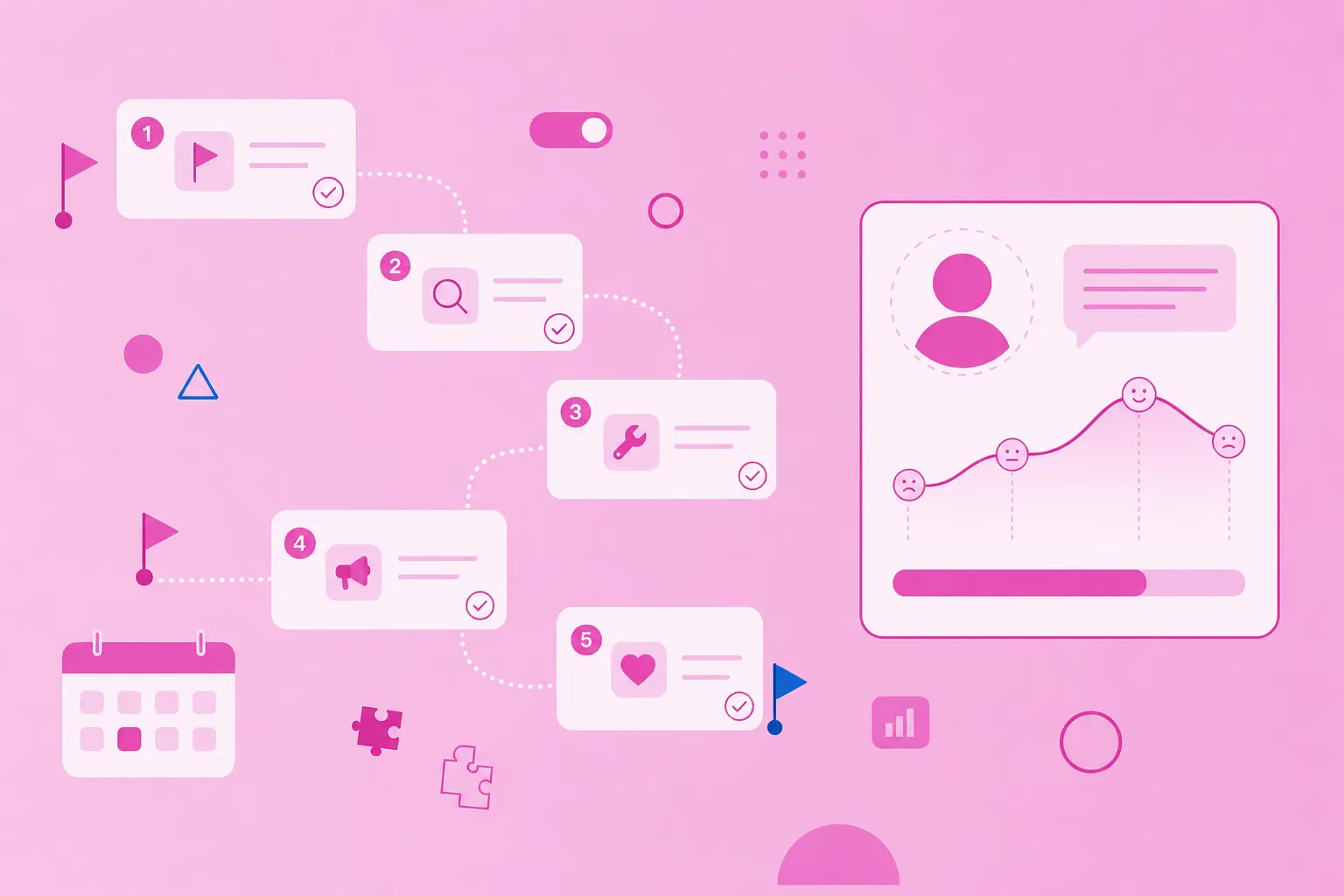
Most customer journey models use 5 stages: awareness, consideration, purchase, retention and advocacy. The names vary between models, but the logic stays the same: from first contact to loyal customer.
Harvard Business School Online lists these phases as common stages of the buying journey. Other models exist too. AIDA-based models use attention, interest, desire and action, while some teams use 3 stages: awareness, consideration and decision.
No single model is the standard. Each stage below has a short definition, typical touchpoints and 1 guiding question for your team.
Awareness
Awareness is the moment a customer notices a problem and first finds your business as a possible answer.
Typical touchpoints: search results, social posts, word of mouth and reviews
Guiding question: "How does this person first learn that you exist?"
Consideration
Consideration starts when the customer compares options and checks whether yours fits.
Typical touchpoints: your website, comparison content, demos, free trials and sales chat
Guiding question: "What do they need to know to choose you?"
Purchase
Purchase covers the decision and the steps that make it final.
Typical touchpoints: pricing page, checkout, contract and the onboarding email
Guiding question: "What could stop them at the last step?"
Retention
Retention begins after the first purchase and determines whether the customer returns.
Typical touchpoints: onboarding, everyday product use, support and newsletters
Guiding question: "What makes them stay after the first week?"
Advocacy
Advocacy is the stage where happy customers recommend you to others.
Typical touchpoints: reviews, referrals, case studies and community spaces
Guiding question: "What would make them recommend you?"
How to create a customer journey map step by step
Start with 1 persona and 1 goal, list the stages, then fill in touchpoints, actions, thoughts, emotions and pain points for each stage. Finish by marking the biggest pain points and the actions that fix them.
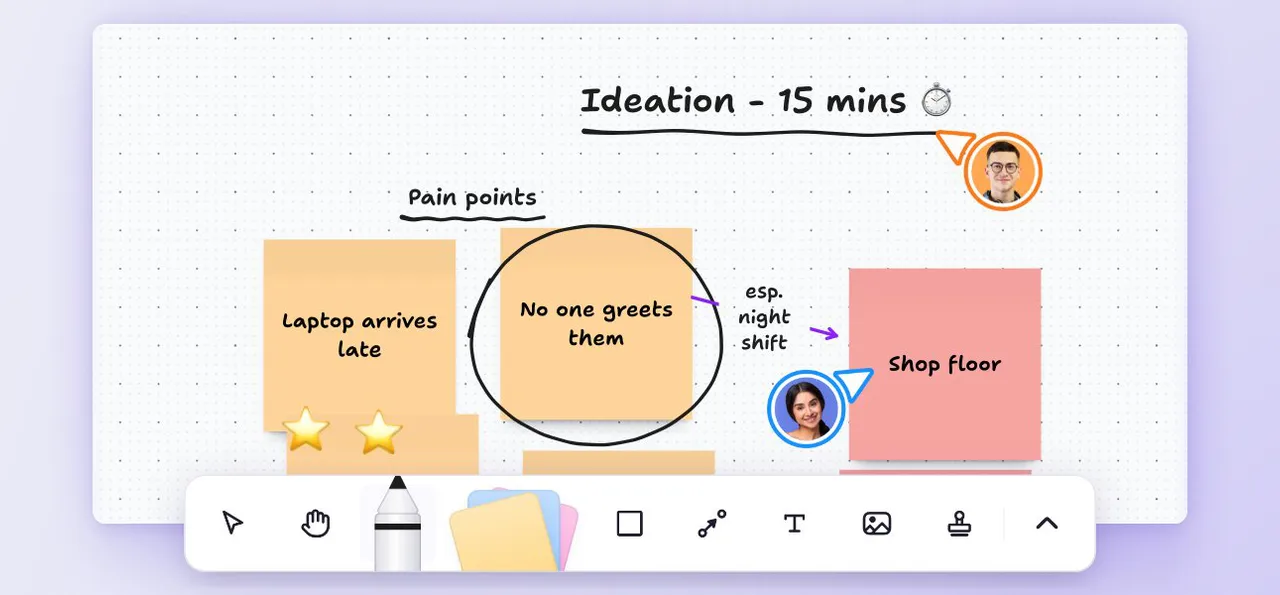
Invite marketing, sales, support and product to a short workshop, since each team hears different things from customers.
1. Pick 1 persona
A customer journey map works best with 1 point of view. Mix a first-time buyer with a loyal repeat customer, and their needs blur. Choose the persona that matters most right now.
To build that point of view, create an empathy map first. It captures what your persona says, thinks, does and feels.
2. Define the scope and the customer's goal
Set a clear start and end point. "From first ad to first order" gives your team focus, while "everything" leads to endless debate.
Then write down the customer's goal in their own words, for example, "Set up my account and send my first invoice." Every step should tie back to that goal.
3. List the stages
Use the 5 stages as your default, then rename them to fit how your customers buy. A B2B software company might swap "purchase" for "trial and contract." An online shop might split purchase into "cart" and "checkout."
4. Collect touchpoints per stage
Touchpoints are all the places where the customer meets your business. Base them on real data wherever you can. Good sources include:
Support tickets and chat logs
Customer reviews
Short customer interviews
Sales call notes
Web analytics
5. Add emotions and pain points
Add how the customer feels at each stage. Look for the spots where the mood drops, such as confusion at checkout. Those dips are your pain points.
Quote customer words where possible. A line like "I couldn't find the return policy" tells your team more than any summary.
6. Prioritize improvements and assign owners
Pick the top 3 pain points by impact on the customer. Give each an owner and a clear next step to turn insights into action. To follow each fix through to done, turn it into a task in MeisterTask with an owner and a due date.
If pain points reveal a messaging gap, fill in a value proposition canvas to sharpen what you promise. Then feed the agreed fixes into your small-business marketing plan so they get the time and budget.
Customer journey map example
A worked example makes the stages concrete: 1 persona, 5 stages and the touchpoints, emotions and pain points at each step.
This customer journey map example is fictional. Stride & Co. is an invented small online shop that sells running shoes. Its persona is Maya, 34, who trains for her first half marathon and wants comfortable shoes without a store visit.
Awareness: Maya finds a blog article on choosing running shoes through search. She feels curious but unsure which advice to trust.
Consideration: She checks the size chart and reads reviews. She feels hopeful but anxious because the size chart is hard to read.
Purchase: At checkout, an unexpected shipping cost appears. She feels relieved to finish but annoyed by the surprise.
Retention: The shoes arrive and her first runs go well. She feels happy, but she can't tell how returns work.
Advocacy: A review request email arrives before her first run in the shoes. She feels proud of her training but has nothing to share yet.
The Stride & Co. team agrees on 3 fixes: a clearer size chart, shipping costs shown on the product page and a later review request.
Customer journey map template
A customer journey map template is a grid or mind map with the journey stages on 1 axis and 5 rows per stage: touchpoints, customer actions, thoughts, emotions, and pain points, plus a row for opportunities.
Copy the fields below into a document or a mind map, and use each prompt question to start the discussion. The same structure works for a user journey map if you narrow the scope to 1 task.
Persona and goal: "Who is this and what do they want to achieve?"
Stages: "Which phases does this journey pass through?"
Touchpoints: "Where does the customer meet us at this stage?"
Customer actions: "What do they actually do?"
Thoughts: "What questions do they ask themselves?"
Emotions: "How do they feel, from frustrated to delighted?"
Pain points: "What slows them down or stops them?"
Opportunities: "What could we change, and who owns it?"
Fill in the persona and stages first, then work through this customer journey map template row by row.
How to build a customer journey map as a mind map in MindMeister
A mind map keeps the customer journey map flexible: The persona sits in the center, each stage becomes a branch and touchpoints, emotions and pain points hang off each branch, so the team can add evidence and update it as the experience changes.
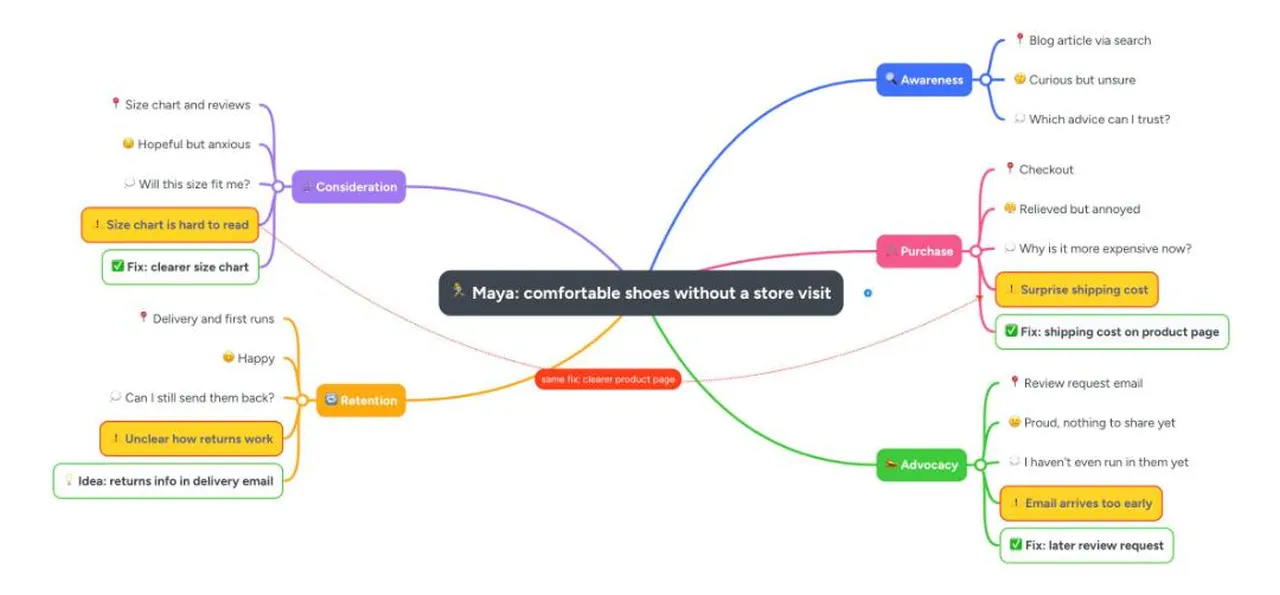
MindMeister gives your team 1 shared mind map instead of scattered notes and slide decks.
1. Set up the persona and stage branches
Put your persona and their goal in the central topic, for example, "Maya: comfortable shoes without a store visit." Then create 1 branch per stage. You can rename or reorder branches at any time as your stages change.
2. Add touchpoints, emotions and evidence
Add touchpoints, actions, emotions and pain points as sub-topics under each stage. Use colors or icons to mark emotions and pain points, for example, red for frustration. Then add notes, links or attachments that point to survey results, reviews or support tickets.
3. Fill it in together
Invite marketing, sales and support to the same mind map. With real-time collaboration in MindMeister, everyone adds what they know in a single session. Use comments to flag open questions.
4. Present it and keep it current
Use presentation mode to walk stakeholders through the journey branch by branch. Then treat the mind map as a living document and review it on a regular schedule. Export it as a PDF or PNG image to share it beyond your team.
Many fixes end up in campaigns. Use marketing planning with mind maps to connect them to your next plan.
Common mistakes when mapping the customer journey
Most customer journey maps fail for 4 reasons: mapping from the company's view instead of the customer's, using assumptions instead of data, trying to cover every persona in 1 customer journey map and never updating it.
Mapping your process instead of their experience. Internal steps like "lead qualified" mean nothing to the customer. Write what the customer does and sees at each stage.
Guessing instead of checking.
Check each stage against support tickets, reviews and 5 short interviews with real customers.
Cramming every persona into 1 customer journey map. A first-time buyer and a long-time customer move through different steps. Build 1 customer journey map per persona.
Building it once and forgetting it. Your customer journey changes when you launch products, change prices or add channels. Review your customer journey map after each change.
Map your customer journey as a team
A useful customer journey map starts small: 1 persona, 5 stages, real data and a clear owner for every fix. Build it with the teams who talk to customers every day.
MindMeister helps your team build a customer journey map as a shared mind map and keep it up to date as your customers change. Start with 1 persona this week, and let each fix shape the next stage of their journey.
Map your customer journey as a team