
What a business model canvas is
The Business Model Canvas is a strategic management template that fits an entire business model on 1 page. Teams use it to design new businesses, review existing ones or compare options before writing a full business plan.
Alexander Osterwalder first described the canvas in his 2004 PhD work. He and Yves Pigneur then popularized it in their 2010 book Business Model Generation. Think of it as a floor plan for your business: You see every room at once before anyone lays a brick.
A canvas and a business plan do different jobs:
Length: 1 page instead of dozens of pages
Purpose: exploring and testing ideas instead of explaining a business and securing funding
Change rate: regular updates as you learn instead of a fixed document you rarely revise
Once the model holds up, outline your business plan around it.
The 9 building blocks of the business model canvas
The canvas has 9 blocks: customer segments, value propositions, channels, customer relationships, revenue streams, key resources, key activities, key partnerships and cost structure. The right side covers customers and value; the left side covers how the business delivers that value.
Customer segments
Customer segments are the groups of customers you aim to reach and serve. Most businesses serve more than 1 segment, and each may need a different offer.
Ask: Who are we creating value for, and who matters most?
Value propositions
A value proposition is the bundle of products and services that solves a problem or meets a need for a segment. To go deeper on 1 segment, fill in a value proposition canvas.
Ask: What problem do we solve, and why would a segment choose us?
Channels
Channels describe how you reach customers, sell to them and deliver your offer.
Ask: How do segments find, buy and receive our offer?
Customer relationships
This block defines the type of relationship you build with each segment, such as self-service, personal support or a community.
Ask: What kind of relationship does each segment expect?
Revenue streams
Revenue streams show how each segment pays you, such as subscriptions, single sales or usage fees.
Ask: What will customers pay for, and how?
Key resources
Key resources are the assets your model depends on, whether physical, intellectual, human or financial.
Ask: What assets must we have to deliver the value proposition?
Key activities
Key activities are what your business must do to make the model work, such as production or running a platform.
Ask: What must we do well every day?
Key partnerships
Key partnerships cover the suppliers and partners who reduce your risk, lower your costs or provide resources you lack.
Ask: Who helps us, and what do they supply?
Cost structure
Cost structure lists the main costs of running the model. Most of them trace back to your key resources, activities and partnerships.
Ask: What are the biggest costs, and which blocks drive them?
How to fill in a business model canvas step by step
Start with customer segments and value propositions, work through the customer-facing blocks before the operational ones and finish with revenue and costs. Then mark the riskiest assumptions and test them first.
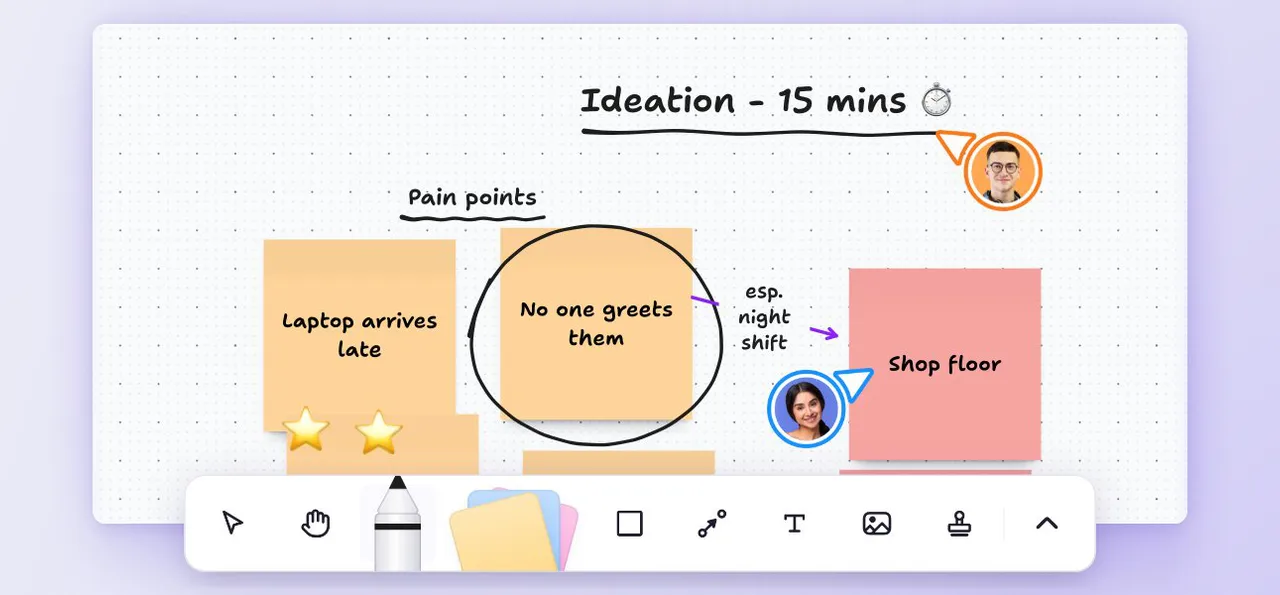
Fill it in with a small cross-functional group, such as product, sales and finance. Timebox each block and have everyone write ideas silently before anyone discusses them. This keeps the loudest voice from shaping the whole model.
1. Pick 1 business model and 1 goal
Choose the model you want to describe, such as a new product line. Then agree on the goal: designing something new, reviewing what exists or comparing options.
Tip: Fill a separate canvas for each business model rather than 1 canvas for the whole company.
2. Start with customer segments and value propositions
These 2 blocks anchor everything else, so give them the most time. Name each segment precisely and write the value proposition you offer it. To sharpen why customers would choose you, map your competitors and note where your offer stands apart.
Tip: Use 1 color per segment to trace it across the canvas.
3. Work through channels and customer relationships
Next, describe how each segment discovers, buys and receives your offer. Then add the relationship each segment expects after the sale, such as self-service or a dedicated contact.
Tip: Walk through a single purchase as a customer and write down every touchpoint.
4. Add revenue streams
Write down what each segment pays for and roughly how much. Keep estimates loose, since you will test them later.
Tip: Note how each segment pays, such as a subscription, a single purchase or a usage fee.
5. Fill in key resources, activities and partnerships, then costs
Now switch to the left side. List what you need, what you do and who helps you deliver your value propositions. Finish with the costs these blocks create.
Tip: Trace each cost back to the block that causes it.
6. Mark your riskiest assumptions and test them first
Mark the assumptions that would break the model if wrong and test those first.
Tip: Turn each risky assumption into a small test with an owner and a due date.
Business model canvas example
A worked example makes the 9 blocks concrete: 1 business, each block filled with 2 or 3 specific entries.
Bean Route is a fictional example: a small coffee subscription service that ships freshly roasted beans from local roasters.
Customer segments: home coffee drinkers, remote workers and small offices
Value propositions: beans roasted within the week, flexible delivery and a rotating mix of local roasters
Channels: online store, social media and a referral program
Customer relationships: self-service subscription settings, email tasting notes and a named contact for offices
Revenue streams: $18 per bag on the monthly plan, team plans for offices and gift boxes
Key resources: roaster partnerships, the online store and a loyal subscriber list
Key activities: sourcing beans, packing orders and keeping subscribers engaged
Key partnerships: local roasters, a shipping carrier and a packaging supplier
Cost structure: beans, shipping and marketing
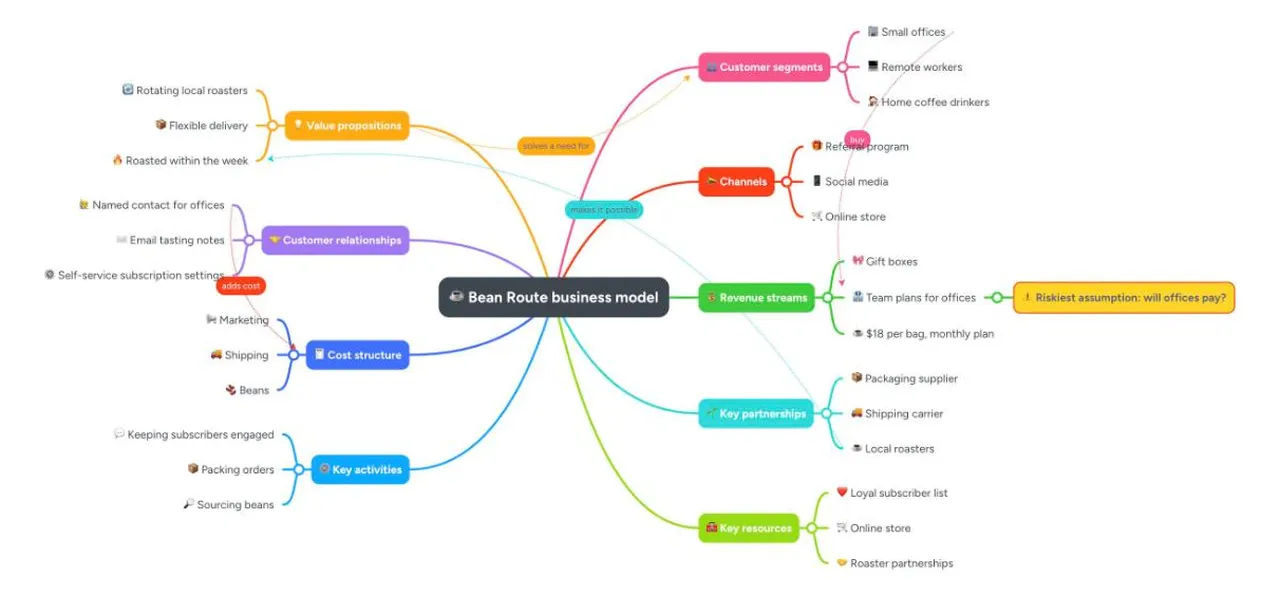
Notice the links between blocks. Office customers need a named contact, which adds a cost home customers never create.
Which assumption should Bean Route test first? The riskiest is whether office managers will pay for team plans. A trial with a few local offices answers that before Bean Route builds anything.
Business model canvas template
A business model canvas template gives you 9 labeled blocks to fill in, plus space for the assumptions you still need to test.
Customer segments: Which customer groups will you serve first?
Value propositions: What job do you help each segment get done?
Channels: Where does each segment learn about you and buy?
Customer relationships: How will you win, keep and grow customers?
Revenue streams: Which pricing model fits each segment?
Key resources: Which assets would be hardest to replace?
Key activities: Which tasks create most of your value?
Key partnerships: Which suppliers or partners reduce your risk?
Cost structure: Which costs grow fastest as you scale?
Assumptions to test: Which entries lack evidence today?
Tip: Copy the list into a doc or mind map, then answer each prompt with your team.
How to build a business model canvas as a mind map in MindMeister
A mind map turns the canvas into a living team document. The business model sits in the center and each block becomes a branch. Ideas, evidence and open questions hang off each branch.
1. Create the central topic and 9 branches
Create a new mind map and type your business model's name into the central topic. Add 9 branches, 1 per block. Drag the customer blocks to 1 side and the operational blocks to the other, so the layout mirrors the canvas.
2. Add entries, notes, links and attachments
Add each entry as a sub-topic under its block. Use notes to explain your reasoning, links to point to research and attachments or images for evidence such as interview summaries.
3. Fill it in together in real time
Invite your team to edit the mind map simultaneously, either in a room or remotely. Real-time collaboration lets each person add entries while everyone watches the canvas take shape. Use comments to discuss open assumptions without stopping the session.
4. Duplicate, compare and present
Duplicate the mind map to sketch an alternative model, such as a wholesale option next to a subscription. Side by side, 2 versions show which blocks change. Then use presentation mode to walk stakeholders through the result, or export it to share on a paid plan.
MindMeister helps you structure and discuss the model while keeping your financial projections in your spreadsheet. For more ways to plan ahead visually, explore strategic planning with mind maps.
Business model canvas vs. lean canvas
The Lean Canvas is a startup-focused adaptation that replaces several blocks with problem, solution, key metrics and unfair advantage. It suits early-stage ideas, while the Business Model Canvas suits established or more complex businesses.
Ash Maurya created the Lean Canvas as an adaptation of the Business Model Canvas. It swaps out key partnerships, key activities, key resources and customer relationships for problem, solution, key metrics and unfair advantage. The swap works as a set, with no direct match between old and new blocks.
Lean Canvas: a fit for early ideas where the problem and solution still need proof
Business Model Canvas: a fit for running businesses with partners, resources and relationships to manage
Map your business model as a team
The Business Model Canvas puts your whole business on 1 page, so your team can see how value flows and where the risks sit. Start with customers, work toward costs and test your riskiest assumptions.
Online tools like MindMeister turn a business model canvas template into a mind map your team keeps refining. Your next strategy conversation can start with a shared picture instead of a blank page.
Once the canvas is set, turn the next steps into tasks in MeisterTask so every experiment has an owner and a due date.
Map your business model as a team